Step-by-Step Setup Guide

TiviStation IPTV Setup Guide

Follow this complete TiviStation setup guide to start streaming 30,000+ live channels and 150,000+ movies in 4K Ultra HD on any device — in under 2 minutes. No technical experience required. Already have a plan? Jump straight to your device below. Don't have a subscription yet? View our plans from $12.

What You Need Before Setup

Before following this TiviStation setup guide, make sure you have the following ready. The entire process takes under 2 minutes once these are in place.

📧
TiviStation Account Login credentials sent to your email after purchase. Get a plan →
📱
Compatible Device Smart TV, Fire Stick, Android, iOS, PC, or Mac.
🌐
Internet Connection Min 10 Mbps for HD — 25 Mbps for 4K Ultra HD.
📲
IPTV App TiviMate, IPTV Smarters Pro, or any M3U-compatible app.
No subscription yet? Choose your TiviStation plan — plans start from $12 with instant activation and a 30-day money-back guarantee.

Select Your Device — TiviStation Setup Guide

🔥

Amazon Fire Stick Setup Guide — TiviStation IPTV

1
Download IPTV Smarters Pro
On your Fire Stick home screen, go to the Search icon and type IPTV Smarters Pro. Select it and click Download. Alternatively, use the Amazon App Store directly.
2
Open the App and Select Login Method
Launch IPTV Smarters Pro. On the login screen, choose "Login with Xtream Codes API" for the easiest setup.
3
Enter Your TiviStation Credentials
Enter the details from your TiviStation welcome email:
Username: your-username
Password: your-password
Server URL: provided in email
4
Load Channels and Start Streaming
Click Add User. Your TiviStation channel list — 30,000+ live channels and 150,000+ on-demand titles — loads automatically. Select Live TV to start watching.
Pro Tip: TiviMate is also available on Fire Stick via the Downloader app and offers a superior UI for browsing channels. See the compatible apps section below.
🤖

Android TV / Box Setup Guide — TiviStation IPTV

1
Install TiviMate from Google Play
Open the Google Play Store on your Android TV or box. Search for TiviMate IPTV Player and install it. TiviMate is the recommended app for the best TiviStation setup experience on Android TV. Download TiviMate.
2
Open TiviMate and Add Playlist
Launch TiviMate and tap Add Playlist. Select "Xtream Codes" as the playlist type.
3
Enter TiviStation Login Details
Fill in your TiviStation username, password, and server URL from your welcome email. Tap Next and give your playlist a name (e.g. "TiviStation").
4
Browse and Stream
TiviMate loads all your TiviStation channels with EPG guide data. Navigate to TV Channels, Movies, or Series to start streaming in 4K.
📺

Samsung / LG Smart TV Setup Guide — TiviStation IPTV

1
Open the Smart TV App Store
On Samsung: open Samsung Apps Store. On LG: open LG Content Store. Search for IPTV Smarters or Smart IPTV.
2
Install and Launch the App
Install your chosen IPTV app and open it. On Samsung TVs, Smart IPTV (SIPTV) is a popular and reliable option for TiviStation setup.
3
Add Your TiviStation M3U URL
Select Add Playlist via URL (M3U) and paste the M3U link from your TiviStation welcome email. This loads all your channels directly.
4
Start Watching
Your full TiviStation channel library loads automatically. Use the built-in EPG to browse the programme schedule and start watching live TV in Full HD or 4K.
Note: Older Samsung and LG Smart TVs (before 2016) may not support modern IPTV apps. In that case, connect an Amazon Fire Stick or Android TV box to the HDMI port and follow the Fire Stick setup guide above.
🍎

iPhone / iPad Setup Guide — TiviStation IPTV

1
Download IPTV Smarters Pro from the App Store
Open the Apple App Store on your iPhone or iPad. Search for IPTV Smarters Pro and install it. Download from App Store.
2
Select Login with Xtream Codes
Open the app and choose "Login with Xtream Codes API" on the welcome screen.
3
Enter Your TiviStation Details
Type your TiviStation username, password, and server URL from your welcome email. Tap Add User.
4
Stream on Your iPhone or iPad
Your complete TiviStation library loads instantly. Tap Live TV, Movies, or Series to start streaming — anywhere, on any iOS 12+ device.
📱

Android Phone Setup Guide — TiviStation IPTV

1
Install IPTV Smarters Pro from Google Play
Open Google Play Store, search IPTV Smarters Pro and install. Download from Google Play.
2
Choose Login with Xtream Codes API
Open the app. On the login page, select "Login with Xtream Codes API".
3
Enter TiviStation Login Details
Fill in your TiviStation server URL, username, and password. These were emailed to you instantly after purchase. Tap Add User.
4
Start Streaming Anywhere
Your TiviStation library loads — 30,000+ live channels and 150,000+ on-demand titles — accessible anywhere with a mobile data or Wi-Fi connection.
💻

Windows PC Setup Guide — TiviStation IPTV

1
Download VLC Media Player
The easiest way to use TiviStation on a Windows PC is through VLC Media Player — free, fast, and supports M3U playlists natively.
2
Open Network Stream in VLC
In VLC, go to Media → Open Network Stream (or press Ctrl + N).
3
Enter Your TiviStation M3U URL
Paste your TiviStation M3U playlist URL from your welcome email into the URL field. Click Play.
4
Browse and Watch
VLC loads your full TiviStation channel list. For a better experience with EPG, use IPTV Smarters for Windows or the web-based player if available in your account portal.
🍏

Mac Setup Guide — TiviStation IPTV

1
Download IINA or VLC for Mac
Install IINA (Mac-native, recommended) or VLC for Mac. Both support M3U playlists and stream TiviStation content perfectly.
2
Open Network Location
In IINA: go to File → Open URL. In VLC: go to File → Open Network. Paste your TiviStation M3U URL.
3
Stream TiviStation on Mac
Your TiviStation channels load and begin playing. For a full EPG and on-demand browsing experience, use IPTV Smarters via a web browser on Mac.

Compatible IPTV Apps for TiviStation

TiviStation works with all major IPTV player applications. All apps below support Xtream Codes API and M3U playlists — both connection methods available on your TiviStation account.

📡
TiviMate
The #1 rated IPTV player for Android TV. Best UI, smooth EPG, and catch-up support. Highly recommended for TiviStation setup.
📺
IPTV Smarters Pro
Works on all platforms — Fire Stick, Android, iOS, Windows, and Mac. Easy Xtream Codes login for TiviStation.
🎬
GSE Smart IPTV
Feature-rich player supporting M3U, Xtream Codes, and built-in EPG. Available on iOS and Android.
🖥️
VLC Media Player
Free, open-source player that supports M3U playlists. Perfect for Windows and Mac TiviStation setup.
Televizo
Lightweight and fast IPTV player for Android and Android TV. Great for TiviStation on budget devices.
🎭
Perfect Player
Classic IPTV player with full EPG support. Reliable and stable for TiviStation streaming on Android.

TiviStation Setup — Common Issues & Fixes

❌ My credentials are not working
Check your TiviStation welcome email carefully — copy and paste the username, password, and server URL exactly as they appear. Avoid adding extra spaces. If the issue continues, contact TiviStation support via Telegram.
⏳ Channels are buffering or freezing
Test your internet speed — you need at least 10 Mbps for HD and 25 Mbps for 4K. Try switching from Wi-Fi to a wired ethernet connection. If buffering persists, TiviStation's anti-freeze technology will resolve it within seconds. Contact support if it continues.
📭 I didn't receive my TiviStation login email
Check your spam or junk folder. If not found after 5 minutes, contact our 24/7 support team via Telegram with your order number and we'll resend immediately.
📺 The app says "Authentication Failed"
This usually means the server URL is entered incorrectly. Make sure you're using the exact URL from your TiviStation email — including http:// or https:// at the start and the correct port number at the end.
🔄 My EPG / programme guide is not loading
In your IPTV app settings, trigger a manual EPG refresh. On TiviMate: Settings → EPG → Update Now. Allow up to 5 minutes for the full guide to load across all channels.

Setup Guide — Frequently Asked Questions

How long does the TiviStation setup take?
The TiviStation setup guide takes under 2 minutes from start to finish. Once you receive your credentials by email, you install the app, enter your details, and your 30,000+ channels load immediately.
Which IPTV app should I use for TiviStation?
We recommend TiviMate for Android TV and Fire Stick, and IPTV Smarters Pro for all other devices including iOS, Android phones, Windows, and Mac. Both apps support Xtream Codes login and work perfectly with TiviStation.
Can I use TiviStation on multiple devices?
Yes — TiviStation offers plans for 1, 2, 3, and 4 simultaneous devices. Each device connection comes with its own set of credentials. View multi-device plans to find the right option for your household.
What internet speed do I need for TiviStation?
You need a minimum of 10 Mbps for smooth HD streaming and 25 Mbps for 4K Ultra HD. For multiple simultaneous streams, multiply accordingly (e.g. 50 Mbps for two 4K streams).
Does TiviStation work outside the US?
Yes. TiviStation works in 150+ countries worldwide. As long as you have a stable internet connection, you can use your TiviStation subscription from anywhere — UK, Canada, Europe, or beyond.
I need help with setup — how do I contact TiviStation support?
TiviStation provides 24/7 customer support via Telegram and live chat. Contact our support team and we'll guide you through the setup step by step — at any hour, any day of the year.

Ready to Start Streaming with TiviStation?

Get instant access to 30,000+ live channels and 150,000+ movies in 4K Ultra HD. Setup in under 2 minutes. 30-day money-back guarantee.
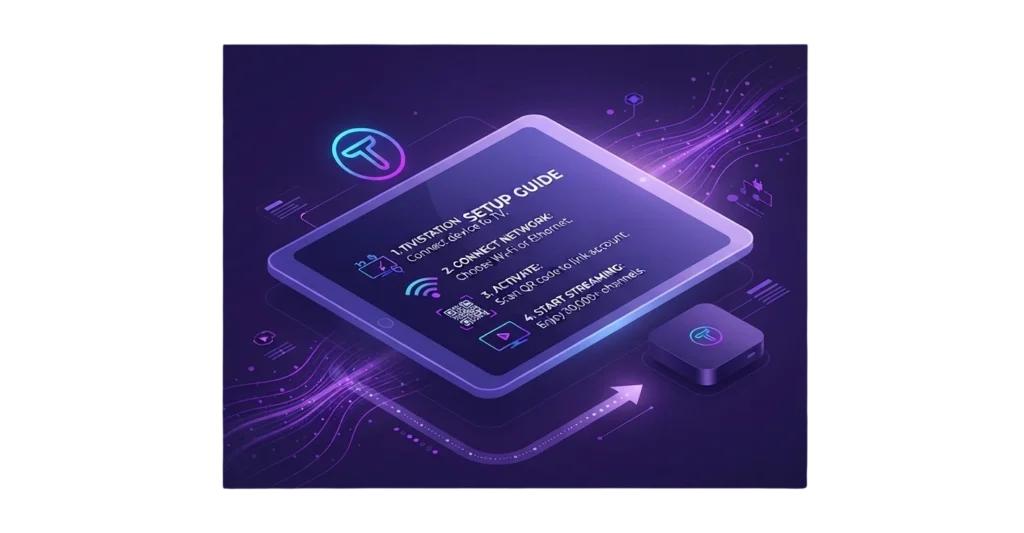
Tivistation IPTV Setup guide